Penguin Pete Trbovich - Freelance blogger, SEO & eCommerce sensei, new media artist, cultural cut-up, technology historian, cyberpunk survivalist, public nuisance, and apocalyptic prophet.
And these are my adventures...
 Penguin Pete's Greatest Hits, Witty observations about geek culture, eCommerce, media, tech, and everything that matters ten minutes from now. Contains text. My author's armchair by the fire to grump about things.
See also this creative team project of which I take part and produce, 13 Nocturn Alley podcast drama productions, home to the hit horror-comedy series "Average Joe Travels the California Inscape." Come on over and meet our crazy indie cast of authors, voice actors, artists, and musicians sometime!
Client Sites - work I do for others
The below are the places where my act is playing currently. Writing for other people is why my own site is so neglected.
 Dab Connection, Cannabis legalization is here in America and not going away. It's a rapidly growing industry coming out from under the shadow of prohibition. Might as well make it another geeky topic, so I got in on the ground floor of Dab Connection - and discovered this world is deeper and more intriguing than I could have imagined! Put away the bong and Cheech and Chong - it's all about the vape pens, wax, shatter, oil, and eRigs here.
 366 Weird Movies, This is it, the pinnacle of geek movie fandom! I have joined the legendary 366 Weird Movies site to offer my gentle guidance in which movies deserve to be anointed in the quest for the 366 Weirdest Movies of All Time. Join me as I dive into the most depraved depths of cinematic history and get your mind blown like a Shop-Vac.
 123ish, A broad news and discussion community translated into four languages with an international following. A home for some of my spicier and more controversial pieces, along with practical guides for everything from gaming to cooking to gift shopping. Listed from within my blog since 123ish doesn't archive by author.
 Lyric Interpretations, I am proud to be on the staff of the coolest music blog in the universe. Look for the posts by Pete, achieve rock-n-roll Nirvana.
 Geeky Domain, I play geek tribal bard for a new generation here, covering games, toys, movies, TV, anime, manga, comics, and more. We find product lists for cool stuff you'll want to own, but we also do game guides, media reviews, handy lists, and all kinds of fan wank. My handlers there just give me two nerd topics per week and turn me loose - come see the chaos that ensues! Also spilled over into KnowGamer
 Krononaut, A blog of geeky wonder where we find cool products for your consideration. No matter if you're a Marvel or D.C. fan, a Star Wars or Star Trek fan, a Lego or Funko Pop fan, trust my mighty honed geek instincts in finding neat-o stuff you never knew existed - with an eye on budget too.
 BeMyApp, Those of you who knew me through my technology ramblings will be thrilled to know that I'm back to being the techie-geek tribal bard for the new generation! Check the media page at BeMyApp for Penguin Pete posts - it's just like my old Linux blog, but modern.
 Movie Meanings, I am equally proud to be on the staff of this hip movie blog, where I geek out about film just like I geek out about music. You'll find me under Pete.
 Rogue Habits, A celebration of the creative lifestyle, progressive living, having a beneficial impact on the environment, green living, and mindful habits. Leave the primitive savages behind in their caves and join us in a brighter future.
My own past projects:
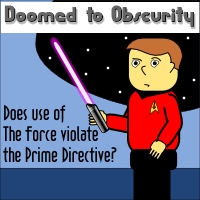 Doomed to Obscurity, my old geek-culture webcomic that ran from 2009-2014.
 Mind--Blown, my old blog of the arcane, intriguing, and curious.
 Daily Funny, my old funny image memes Tumblr, now no longer "daily."
Find me on...
- Twitter - Confront me in public.
- Mastodon - Confront me in less public.
- Linked-In - Network with me.
- YouTube - Look at my videos.
- Reddit - Or come argue with me on Reddit.
- IMGUR - Visit my mini image blog.
- UpWork - Rent my brain for short-term jobs and simple projects.
- For more involved projects or for consultancy gigs, hit me up at my email.
- About Penguin Pete